 (Image via
Moving your finances to your smartphone can feel like a big leap. We often hear about the incredible ease of tapping your phone to pay for coffee or sending money to a friend instantly. This convenience is undeniably attractive and simplifies our daily lives. However, embracing this technology brings valid questions about safety and privacy. You might wonder if your data is truly secure or what happens if you lose your device. Understanding the security tradeoffs involved in digital wallet adoption is the first step toward using them confidently. We are here to guide you through these considerations, empowering you to make informed choices that protect your money while enjoying the benefits of modern financial tools.
What Are Digital Wallets?
A digital wallet is an application on your smartphone or smartwatch that stores payment information. It keeps digital versions of your credit cards, debit cards, loyalty cards, and sometimes even identification documents. Instead of carrying a physical leather wallet stuffed with plastic, you carry everything securely on your device. Popular examples include Apple Pay, Google Wallet, and Samsung Pay.
These apps use sophisticated technology to communicate with payment terminals. Near Field Communication (NFC) allows your phone to "talk" to the card reader wirelessly. This means you don't have to swipe a card or insert a chip. You simply hover your device near the terminal to complete a purchase. This seamless interaction is changing how we shop, travel, and manage our expenses.
The Convenience Factor
The primary driver for adopting digital wallets is convenience. It streamlines the checkout process significantly. You no longer need to dig through a bag to find the right card. Transactions are faster, which is great when you are in a rush.
Beyond speed, digital wallets offer organization. They can store boarding passes for flights, tickets for concerts, and coupons for your favorite stores. Everything is in one place, reducing clutter and the likelihood of losing loose paper tickets. For many, this streamlined organization provides a sense of control and ease in their daily routine.
Understanding the Security Tradeoffs
Adopting any new technology involves balancing benefits with potential risks. Digital wallets are generally very secure, often more so than physical cards, but they are not immune to threats. Understanding these tradeoffs helps you mitigate risks effectively.
Tokenization vs. Physical Card theft
One of the biggest security advantages of digital wallets is a process called tokenization. When you add a card to your wallet, the app does not store your actual card number. Instead, it creates a unique digital code, or "token," that represents your card. When you make a purchase, the merchant receives this token, not your real credit card number.
This is a massive security upgrade compared to physical cards. If a hacker breaches a store's system, they only get a useless token, not your sensitive financial details. Compare this to handing a waiter your physical credit card, where they walk away with your card number, expiration date, and security code visible.
However, the tradeoff lies in device dependency. Your security is now tied to your phone. If someone gains access to your unlocked phone, they might be able to make purchases. This shifts the responsibility of security from keeping your physical wallet safe to keeping your digital device secure.
Biometric Authentication vs. Passcodes
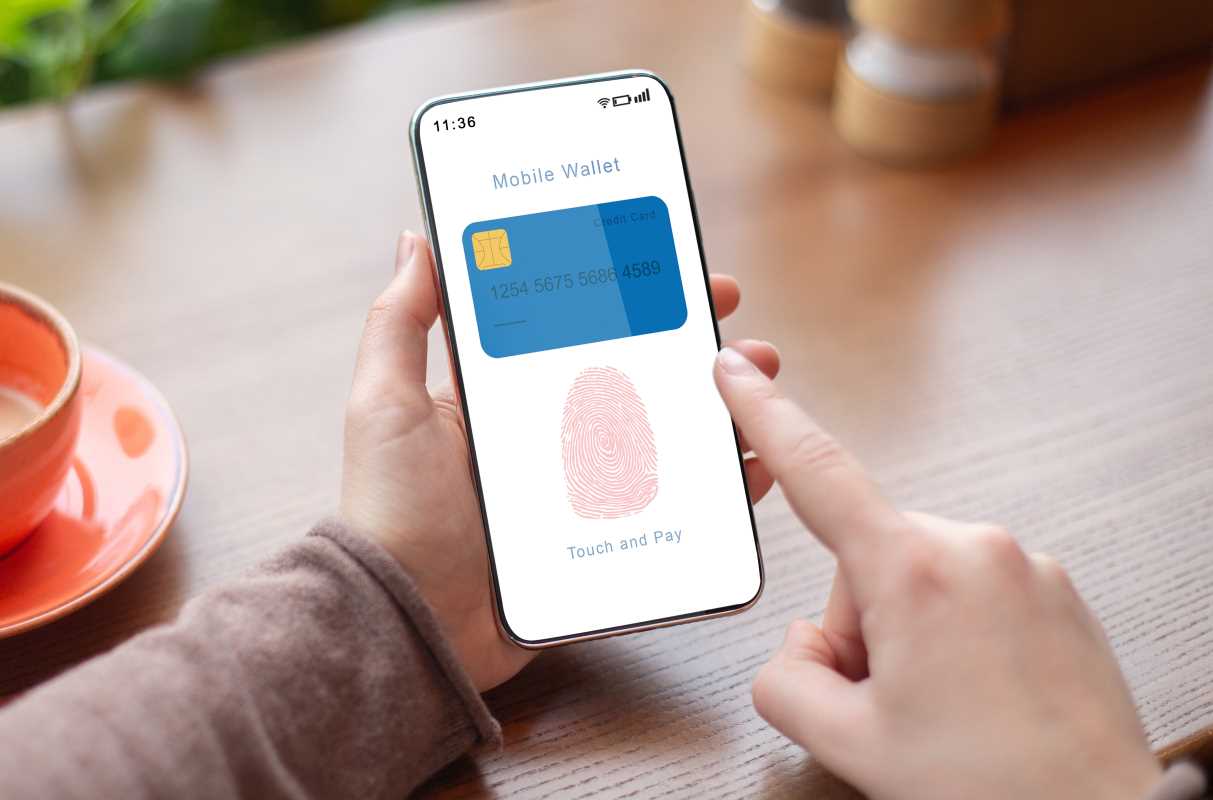
Most digital wallets use biometric authentication to authorize payments. This means you must use your fingerprint, face scan, or iris scan to confirm a transaction. This adds a robust layer of security that physical cards lack. A thief who steals your plastic card can use it immediately for online purchases or at terminals that don't require a PIN. A thief who steals your phone cannot use your digital wallet without your biometric data.
The tradeoff here involves the reliability of technology. Biometrics can sometimes fail. A wet finger might not read on a scanner, or a face mask might block facial recognition. In these cases, you revert to a passcode. If your passcode is weak (like 1234 or your birthday), the high-tech security of biometrics is compromised. You must ensure your backup methods are as strong as your primary ones.
Data Privacy vs. Enhanced Features
Digital wallets offer smart features like spending tracking and personalized offers. To provide these services, the app collects data on your purchasing habits. It knows where you shop, how much you spend, and how often you visit certain locations.
This data collection allows for a personalized experience, which many users find helpful. You might receive a coupon for a store you frequent just as you walk by. However, the tradeoff is privacy. You are sharing detailed financial behavior with a tech company. For some, this exchange of privacy for features is acceptable. Others may feel uncomfortable with a corporation having such a granular view of their life. It is important to review the privacy settings of your chosen wallet to understand exactly what information is being shared and with whom.
Common Security Vulnerabilities
Even with advanced security measures, vulnerabilities exist. Awareness of these weak points allows you to stay vigilant.
Public Wi-Fi Risks
Using your digital wallet or managing your banking apps over unsecured public Wi-Fi networks can expose you to risks. Hackers can intercept data transmitted over these open networks. This is less of a risk for the NFC payment itself (which is local), but a significant risk if you are adding new cards or checking your transaction history while connected to public Wi-Fi at a coffee shop.
Phishing and Social Engineering
The human element is often the weakest link in any security system. Scammers may send emails or text messages pretending to be your digital wallet provider. They might claim there is an issue with your account and ask you to click a link to verify your identity. These phishing attempts aim to steal your login credentials. No amount of encryption can protect you if you voluntarily hand over your password to a scammer.
Device Loss or Theft
Losing your phone is stressful. If your device is lost or stolen, your digital wallet is at risk if not properly secured. Although biometrics prevent immediate use, a sophisticated thief might try to bypass these locks. Furthermore, the inconvenience of losing your payment method can be significant. Unlike a lost card which you can cancel and replace, losing your phone cuts you off from communication and payments simultaneously.
Actionable Steps to Secure Your Digital Wallet
You can take proactive measures to maximize the security of your digital wallet. These steps are simple but effective in creating a robust defense for your finances.
1. Enable Strong Authentication
Your first line of defense is your screen lock. Always use a strong passcode, preferably a six-digit PIN or a complex alphanumeric password. Enable biometric authentication for every payment. Never disable these features for the sake of convenience. The extra second it takes to scan your fingerprint is worth the protection it provides.
2. Set Up Remote Wiping
All major smartphones offer "Find My" features that allow you to locate, lock, or wipe your device remotely. Set this up immediately. If your phone goes missing, you can instantly erase all data, including your digital wallet information, from a computer or another device. This renders the phone useless to a thief regarding your financial data.
3. Monitor Your Accounts Regularly
Digital wallets often provide instant notifications for every transaction. Keep these notifications turned on. This allows you to spot suspicious activity the moment it happens. If you see a charge you didn't make, you can contact your bank immediately to freeze the card. Regular monitoring is one of the most effective habits for financial security.
4. Keep Your Software Updated
Software updates often include critical security patches that fix known vulnerabilities. Do not ignore those "update available" notifications. Keeping your phone's operating system and your digital wallet app up to date ensures you have the latest protection against hackers and malware.
5. Use Secure Networks
Avoid managing your financial apps on public Wi-Fi. If you need to check your balance or add a card while out and about, switch to your cellular data network. Cellular networks are generally much more secure than open Wi-Fi hotspots. If you must use Wi-Fi, consider using a Virtual Private Network (VPN) to encrypt your data.